To download Cobbleverse from CurseForge, you'll first need to install the CurseForge app, which is the official launcher for managing modpacks for Minecraft.
You can download the app from the official site here
During installation, it will ask you to install Overwolf. While not mandatory, we recommend installing it, as Overwolf simplifies the CurseForge app's use by handling automatic updates and making modpack management easier.
After installing CurseForge, open the app, log into your Minecraft account, then go to your Minecraft installation located in CurseForge and click Import to manually add the Cobbii-Mon Modpack (Beta v1.0.5) which can be downloaded from our website since it is not yet listed.
Import using Zip method.
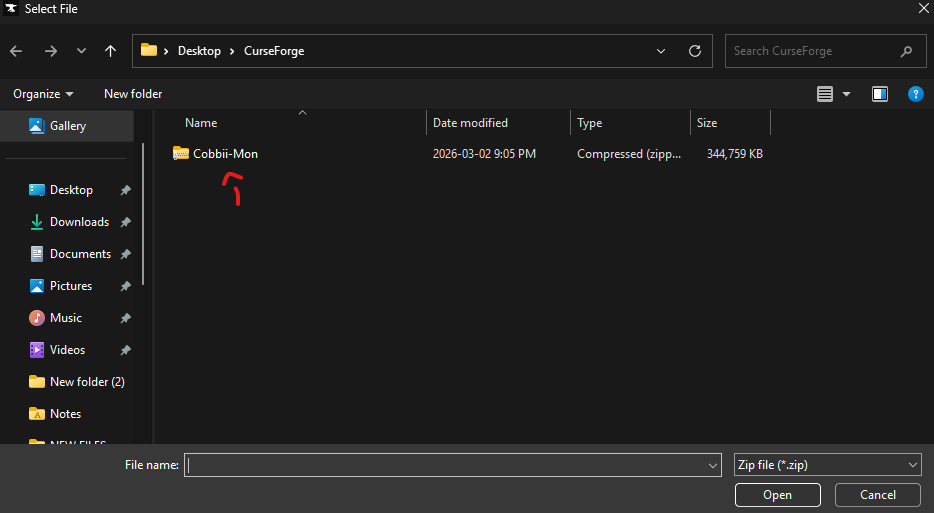
Choose the Cobbii-Mon CurseForge Modpack [Cobbii-Mon (CurseForge Pack.zip]
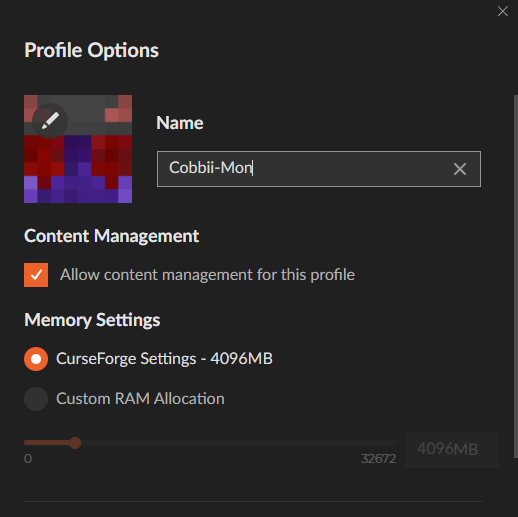
Ensure that you have a minimum of 4GB(4096MB) of ram dedicated to your client.
There you go, You should be all set now and ready to play! If you have any questions feel free to check our discord server.
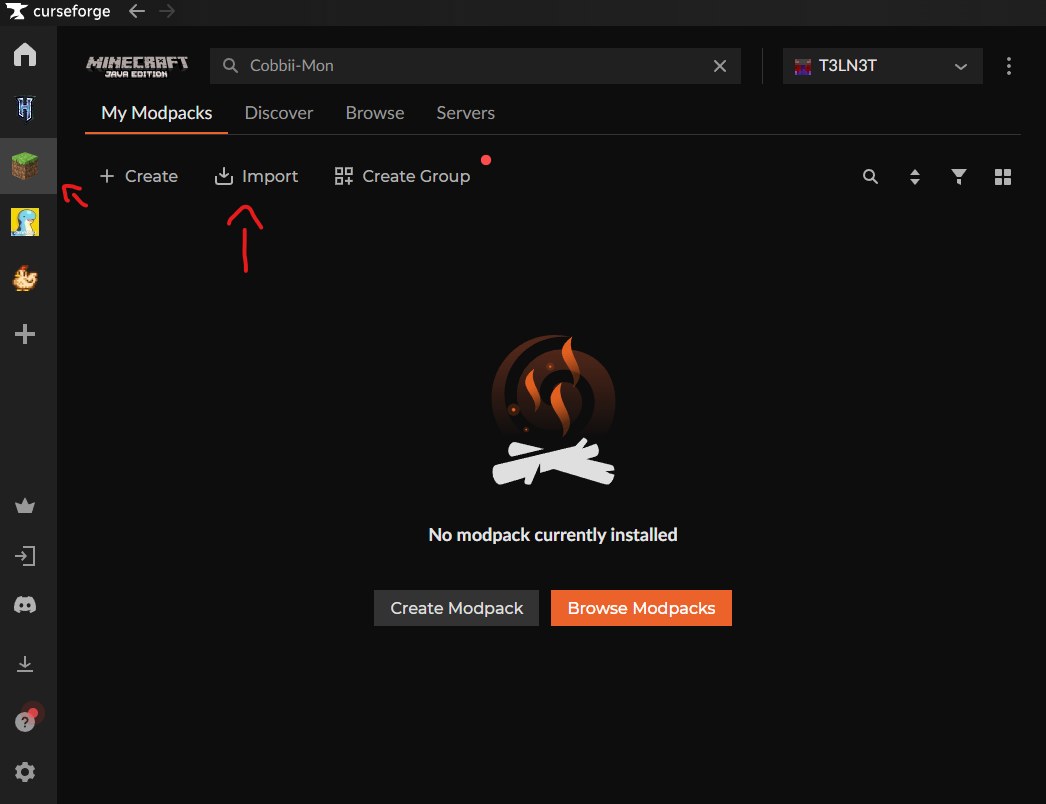 Import using Zip method.
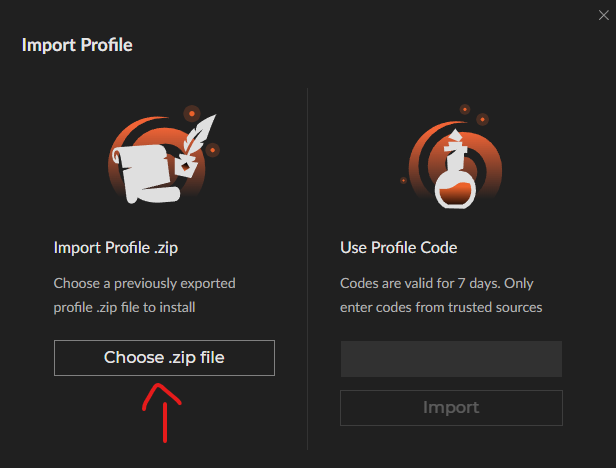 Choose the Cobbii-Mon CurseForge Modpack [Cobbii-Mon (CurseForge Pack.zip]
 Ensure that you have a minimum of 4GB(4096MB) of ram dedicated to your client.
 There you go, You should be all set now and ready to play! If you have any questions feel free to check our discord server.